
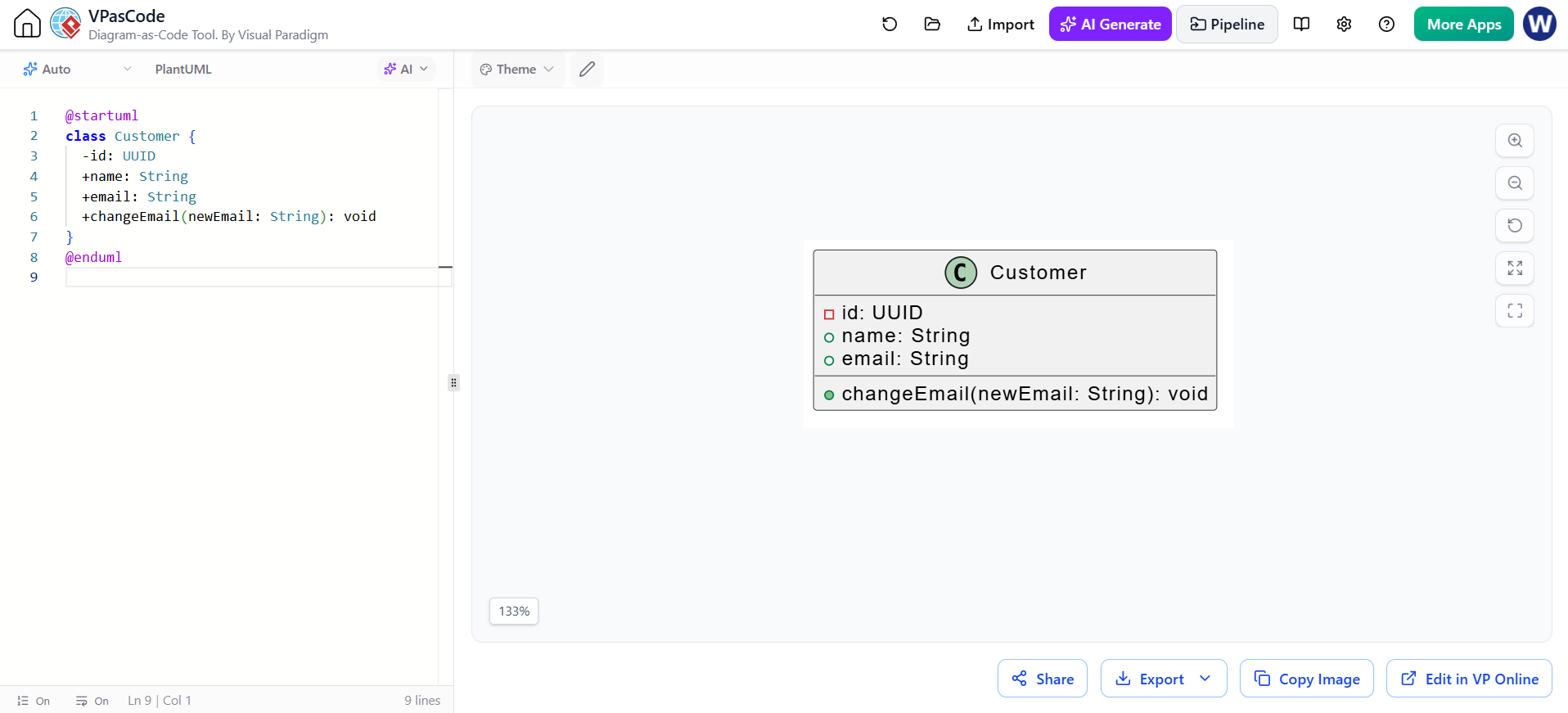
When architecting software systems, the ability to visualize structure is paramount. PlantUML is a powerful, text-based tool that allows developers to define UML diagrams using simple syntax, which are then rendered into professional visualizations. This tutorial focuses on the Class Diagram, specifically demonstrating how to define a Customer entity with its associated data and behaviors.
Understanding the Class Definition Syntax
The foundation of any class diagram is the class directive. In the example provided, we define a class named Customer. This is the starting point for describing the object-oriented structure of your system.
PlantUML requires specific keywords to delimit the diagram code. The
@startuml</code> command initiates the parsing process, and <code>@enduml signals the end. Within these boundaries, you define the class name followed by curly braces {} to encapsulate its members.
@startuml
class Customer {
  -id: UUID
  +name: String
  +email: String
  +changeEmail(newEmail: String): void
}
@enduml
The Anatomy of a Class Member
Inside the class definition, every line represents either an attribute (a variable) or an operation (a method). The visibility of these members is strictly controlled by specific symbols placed at the beginning of the line.
- Private (-): The minus sign
-indicates that a member is private. It can only be accessed from within theCustomerclass itself. This is best practice for internal data like anidto prevent external tampering. - Public (+): The plus sign
+indicates that a member is public. This makes the attribute or method accessible to any other class in the system.
Defining Attributes and Data Types
Attributes represent the state of the object. In our Customer class, we see a mix of primitive types and specific domain types.
- id: UUID
+ name: String
+ email: String
Key Concepts:
- Type Declaration: The syntax
name: Typedefines the variable name and its data type. Here,UUIDis used for the ID, ensuring unique identification for each customer record. - Visibility in Rendering: PlantUML renders private attributes with a red square icon and public attributes with a green circle icon, providing immediate visual cues for encapsulation.
Modeling Operations (Methods)
Operations define the behavior of the class. They are methods that the class can perform. The syntax for operations is slightly more complex than attributes as it must include parameters and the return type.
+ changeEmail(newEmail: String): void
Breaking down the changeEmail operation:
- Signature: The method is named
changeEmail. - Parameters: It accepts an argument named
newEmailof typeString. This represents the input required to execute the operation. - Return Type: The keyword
: voidindicates that this method does not return any value; it performs an action (likely updating the internal state) and completes.
Visualizing the Relationship
When rendered by the VPasCode tool (as seen in the interface), the text-based syntax is translated into a clean, graphical box diagram. The top section contains the class name, while the bottom two sections list the attributes and operations respectively. This visual separation helps in quickly understanding the interface of the class versus its internal state.
Conclusion
By mastering these basic syntax rules—specifically the use of @startuml, visibility symbols (-, +), and the parameterized method signature—you can effectively model complex system architectures. This text-driven approach is not only efficient for version control but also fosters a disciplined design process before writing a single line of implementation code.