
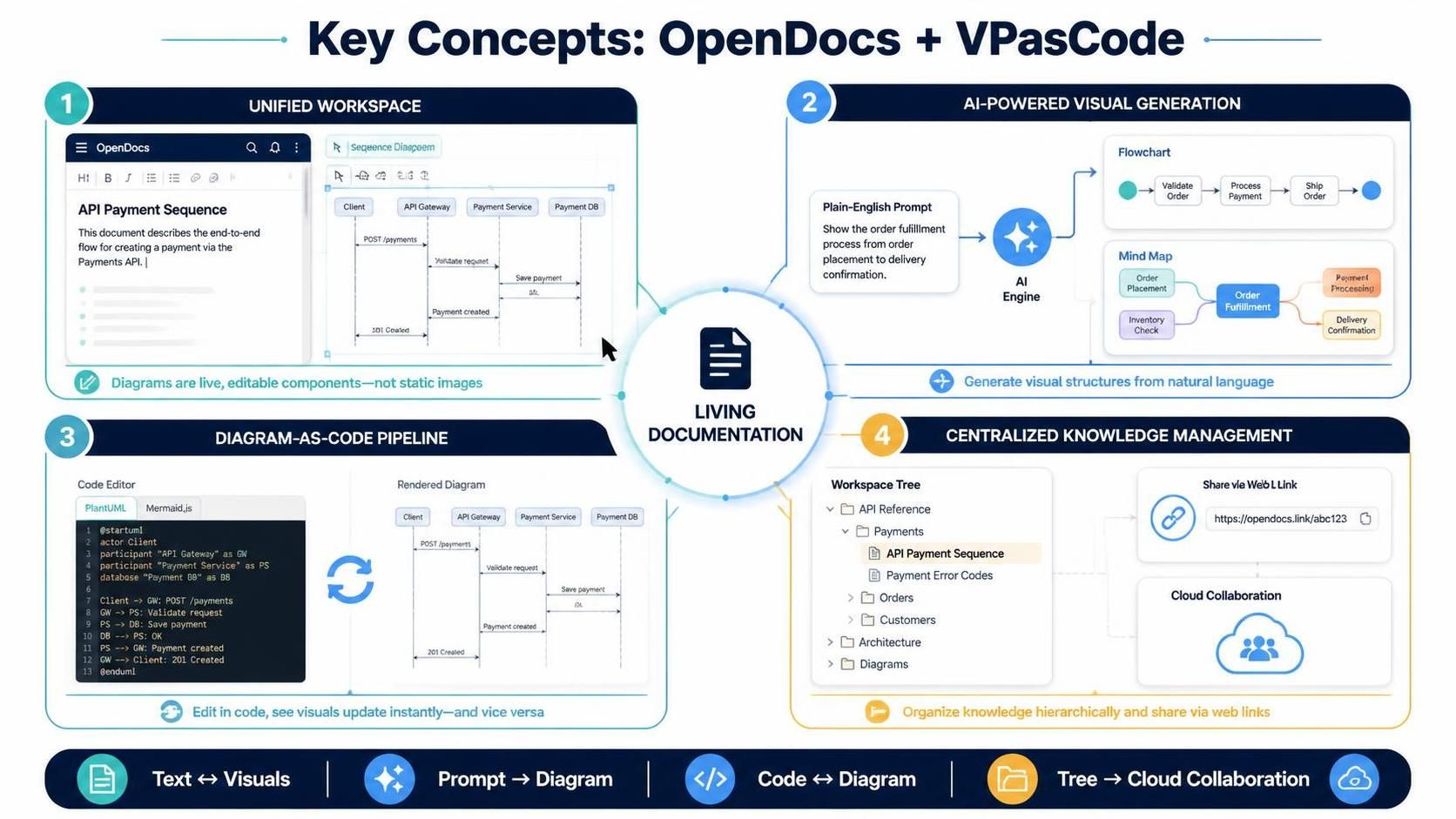
In the modern era of software engineering and system architecture, the gap between documentation and implementation is often a critical bottleneck. Historically, diagrams were treated as static artifacts—beautiful snapshots that inevitably became outdated the moment the code changed. However, a paradigm shift is occurring with the integration of OpenDocs and the VPasCode pipeline. This tutorial explores how to leverage a “Diagram-as-Code” approach to create living documentation that remains synchronized with your system’s reality.
1. The Unified Workspace: Text Meets Visuals
The foundation of this ecosystem is the Unified Workspace. Traditional documentation tools typically treat diagrams as static images attached to a document. If you need to update a box in a sequence diagram, you often have to open a separate design tool, export a new image, and re-upload it.
OpenDocs revolutionizes this by integrating a powerful diagram editor directly into the page. This means your UML sequence diagrams, BPMN flows, and ERDs are not just pictures; they are live, editable components of your documentation. When you modify the visual elements in the editor, the underlying data model updates instantly, ensuring that your documentation and your design are always in sync.
2. AI-Powered Visual Generation
For teams that prefer to start with high-level concepts rather than technical syntax, OpenDocs offers an AI-Powered Visual Generation engine. This feature leverages natural language processing to bridge the gap between plain English and complex technical structures.
- Input: You provide a plain-English prompt, such as “Show the order fulfillment process from order placement to delivery confirmation.”
- Processing: The AI Engine interprets the logic and relationships described in your text.
- Output: The system instantly drafts visual structures, whether it’s a linear flowchart for a user journey or a hierarchical mind map for brainstorming.
This significantly reduces the time spent on manual layout, allowing architects to focus on the logic of the system rather than the positioning of shapes.
3. The Diagram-as-Code Pipeline with VPasCode
For developers and architects who prefer code-centric workflows, the integration of VPasCode is the core technical differentiator. This supports the “Diagram-as-Code” philosophy, where the source of truth is a textual representation of the diagram.
How VPasCode Works
VPasCode allows users to edit diagrams using textual languages like PlantUML or Mermaid.js. This approach offers several distinct advantages over manual drag-and-drop tools:
- Version Control: Diagrams can be stored in Git repositories alongside your application code.
- Collaboration: Changes are tracked via standard pull requests and diffs.
- Syncing: Changes made in code are synced instantly to the visual representation, and vice versa.
Example: Sequence Diagram Workflow
When using VPasCode within OpenDocs, you write the logic in the Code Editor. The system then renders this into a professional visual diagram. Below is an example of how a standard sequence diagram is written in PlantUML syntax within the VPasCode pipeline:
@startuml
actor Client
participant "API Gateway" as GW
participant "Payment Service" as PS
database "Payment DB" as DB

Client -> GW: POST /payments
GW -> PS: Validate request
PS -> DB: Save payment
DB --> PS: OK
PS --> GW: Payment created
GW --> Client: 201 Created
@enduml
Notice how the code explicitly defines the actors, participants, and the flow of messages (using -> for synchronous calls and --> for asynchronous or return messages). This text-based approach ensures that the diagram remains a readable, maintainable asset rather than a black-box image.
4. Centralized Knowledge Management
Finally, the power of these tools is unlocked through Centralized Knowledge Management. OpenDocs utilizes a tree-structured workspace that mimics a traditional file system but is built on top of a cloud-native architecture.
- Hierarchical Organization: You can organize documents logically, such as API Reference > Payments > API Payment Sequence.
- Cloud Collaboration: Unlike local file systems that require email exchanges, OpenDocs offers real-time sharing via web links.
- Accessibility: Teams can collaborate on complex architectural diagrams without the need for local software installation.
By combining the Unified Workspace, AI generation, and the VPasCode pipeline, OpenDocs creates a robust environment where documentation is not just a byproduct of development, but an integral part of the engineering process.