
简介
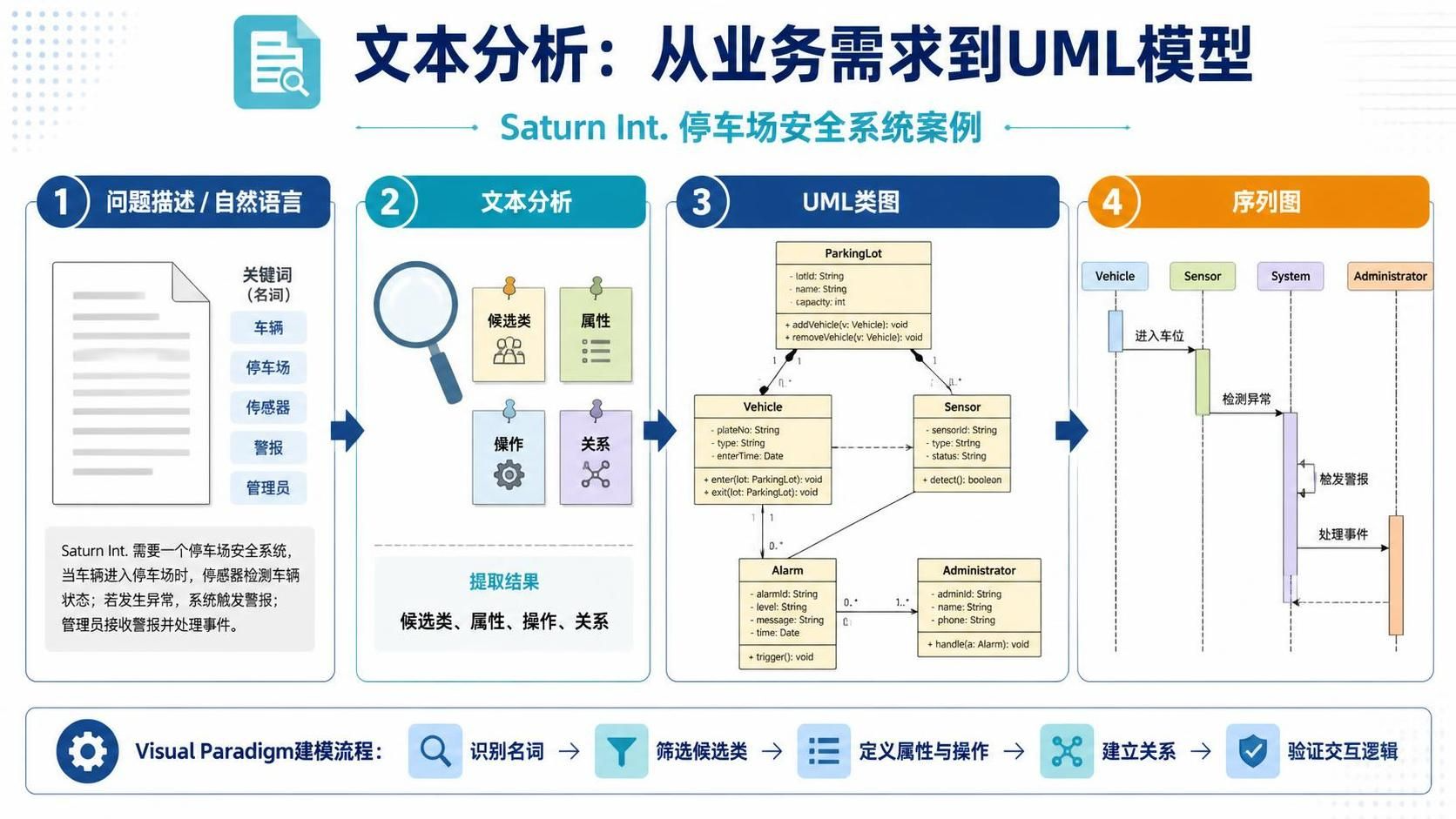
在软件工程中,将模糊的业务需求转化为精确的系统模型是项目成功的关键一步。许多开发团队在面对冗长的文字版问题描述时,往往难以快速提取出核心的类、属性和交互逻辑。文本分析(Textual Analysis) 正是解决这一痛点的有效技术。它能够帮助分析师从问题陈述、业务用例或领域描述中系统性地发现模型数据。
本指南将以“Saturn Int. 停车场安全系统”为例,详细演示如何使用 Visual Paradigm 工具,通过文本分析技术完成从自然语言到UML类图及序列图的完整建模过程。无论您是产品经理还是系统架构师,掌握这一流程都能显著提升需求分析的准确性与效率。
核心概念
-
文本分析 (Textual Analysis): 一种通过语法和语义分析,从自然语言文本中识别名词(候选类)、动词(操作/关系)和形容词(属性)的技术。
-
候选类筛选 (Candidate Class Filtering): 并非所有名词都是有效的类。需要通过去重、排除角色、剔除属性等规则进行清洗。
-
结构化关系 (Structural Relationships): 类与类之间的静态联系,如关联、泛化和依赖。
-
交互模型 (Interaction Model): 通过序列图展示对象间的动态消息传递,并反向完善类的属性与操作。
-
Visual Paradigm: 一款支持UML建模、文本分析及Scrum管理的综合性CASE工具,能够将文本分析结果直接转换为模型元素。
实战案例:Saturn Int. 停车场安全系统
1. 问题描述
以下是本教程使用的业务场景描述:
Saturn Int. management wants to improve their security measures, both for their building and on site. They would like to prevent people who are not part of the company to use their car park.
Saturn Int. has decided to issue identity cards to all employees. Each card records the name, department and number of a company staff, and give them access to the company car park. Employees are asked to wear the cards while on the site.
There is a barrier and a card reader placed at the entrance to the car park. When a driver drives his car into the car park, he/she inserts his or her identity card into the card reader. The card reader then verify the card number to see if it is known to the system. If the number is recognized, the reader sends a signal to trigger the barrier to rise. The driver can then drive his/her car into the car park.
There is another barrier at the exit of the car park, which is automatically raised when a car wishes to leave the car park.
A sign at the entrance display “Full” when there are no spaces in the car park. It is only switched off when a car leaves.
There is another type of card for guests, which also permits access to the car park. The card records a number and the current date. Such cards may be sent out in advance, or collected from reception. All guest cards must be returned to reception when the visitor leaves Saturn Int.
2. 创建文本分析图
首先,我们需要在Visual Paradigm中建立分析环境:
-
新建项目:选择 Project > New,命名为 Tutorial。
-
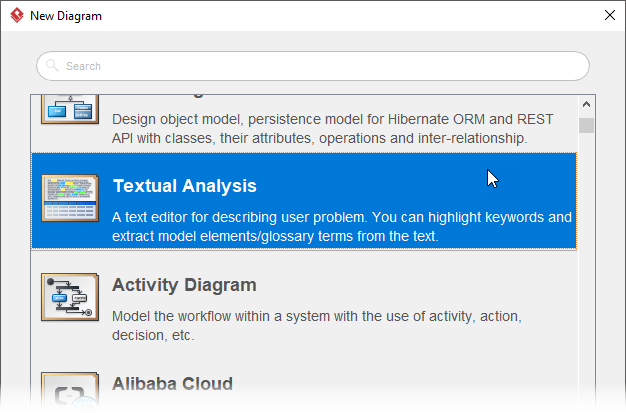
新建图表:选择 Diagram > New,在窗口中选择 Textual Analysis,命名为 Security Improvement。
-
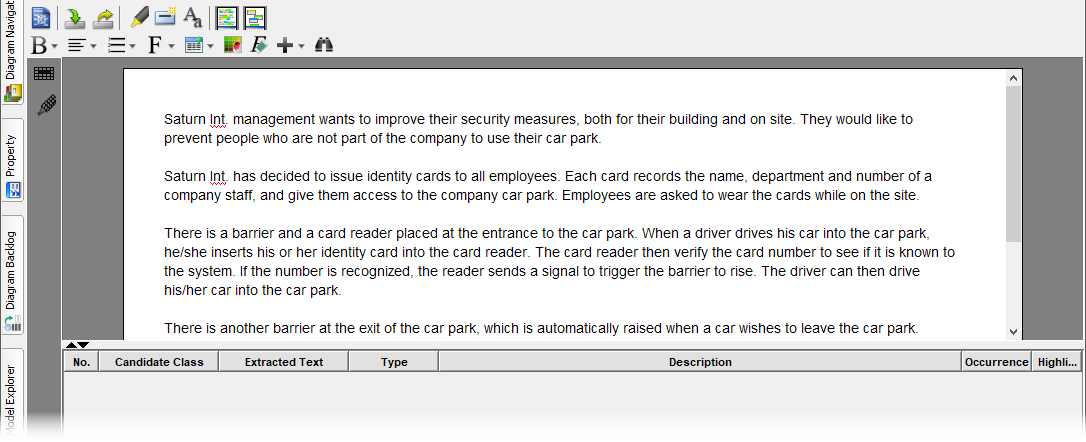
导入文本:将上述问题描述复制粘贴到编辑器中。
3. 识别候选类
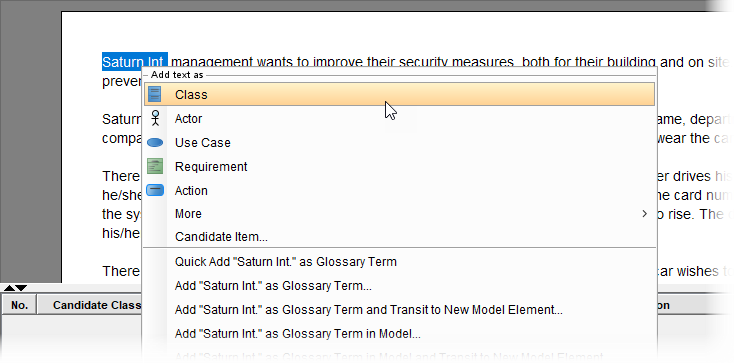
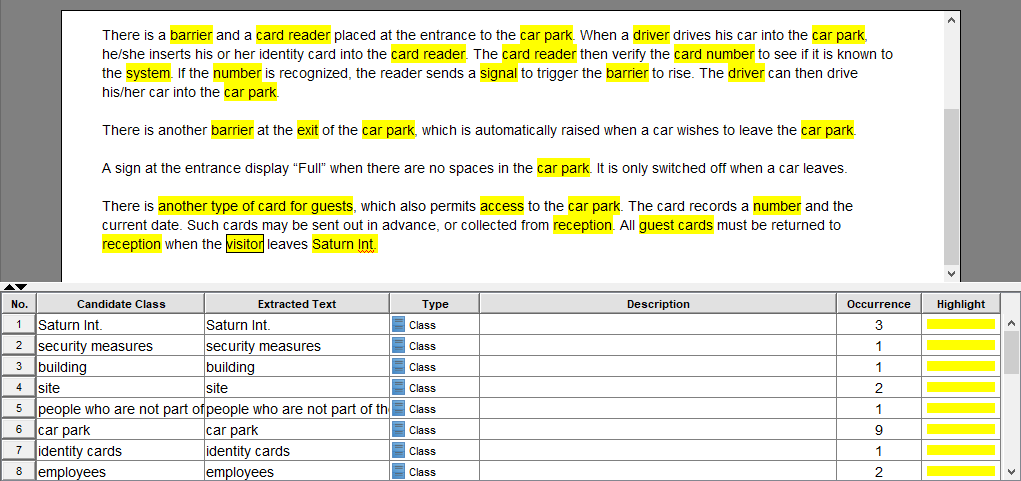
阅读文本,右键点击关键名词片段并选择 Add text as Class。初步识别出的候选类包括:Saturn Int., security measures, car park, identity cards, employees, barrier, card reader, signal, guest cards 等。
4. 筛选与拒绝无效候选类
这是文本分析中最关键的一步。我们需要依据以下规则剔除无效项:
-
重复 (Duplicates): 同一事物的不同称呼。
-
无关 (Irrelevant): 超出系统边界的事物。
-
模糊 (Vague): 含义不明确的概念。
-
属性 (Attributes): 应作为类的字段而非独立类。
-
角色 (Roles): 特定场景下的临时身份。
| 候选类 | 决定 | 拒绝原因 |
|---|---|---|
| Saturn Int. management | 拒绝 | 与系统功能无关 |
| Security measures | 拒绝 | 含义模糊 |
| Building / Site | 拒绝 | 与系统功能无关 |
| Employees | 拒绝 | 与‘Company staff’重复 |
| Name / Department / Number | 拒绝 | 属于属性 |
| Driver / Visitor | 拒绝 | 属于角色 |
| System | 拒绝 | 过于宽泛 |
| Car park / Barrier / Card reader | 接受 | 核心领域对象 |
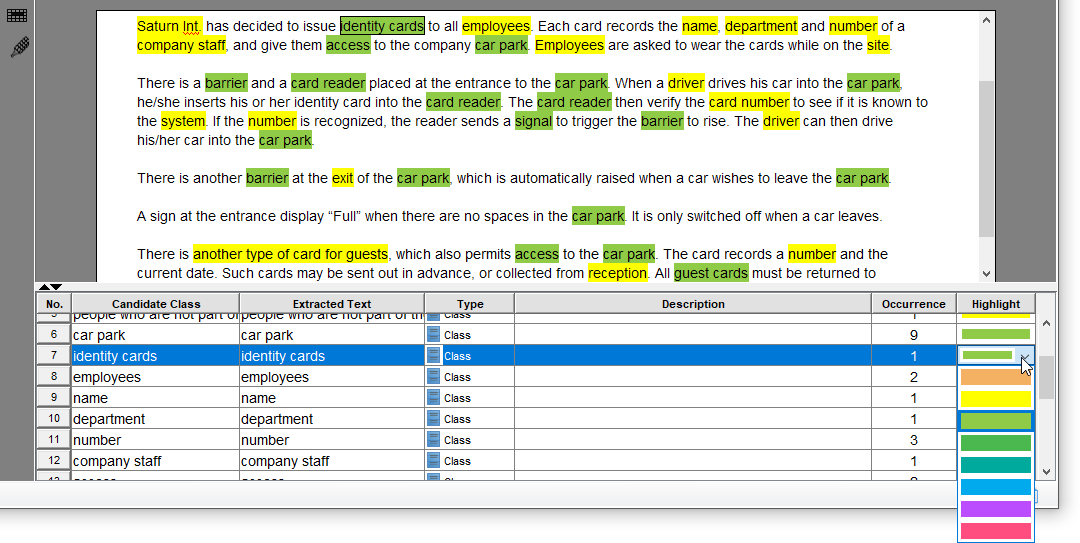
在Visual Paradigm中,可以将接受的候选类高亮标记为绿色以便区分。
5. 重命名与规范化
为了确保模型的一致性,需要对保留的类进行重命名:
-
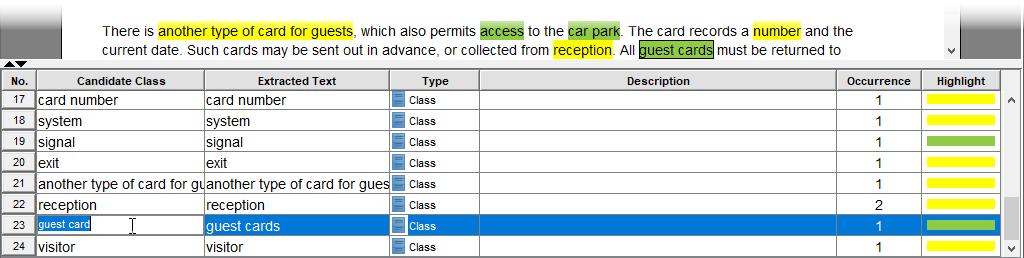
Identity cards → Staff card: 原文虽用复数且泛指,但在上下文中特指员工卡,改为单数更精准。
-
Guest cards → Guest card: 统一使用单数形式。
6. 生成类模型元素
将筛选后的文本类转换为真正的UML模型元素:
-
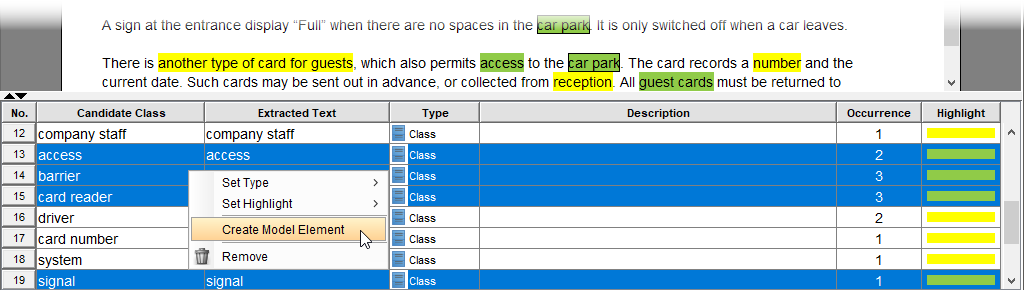
多选表格中的有效类。
-
右键选择 Create Model Element。
-
选择 Create new diagram 并命名为 Car Park System。
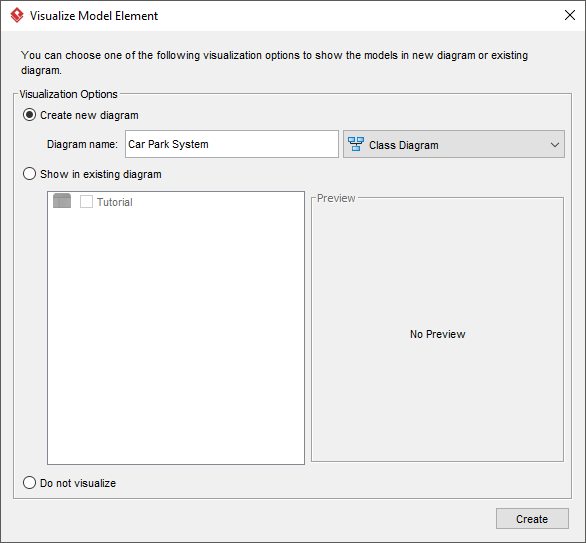
此时,一个基础的类图框架已自动生成。
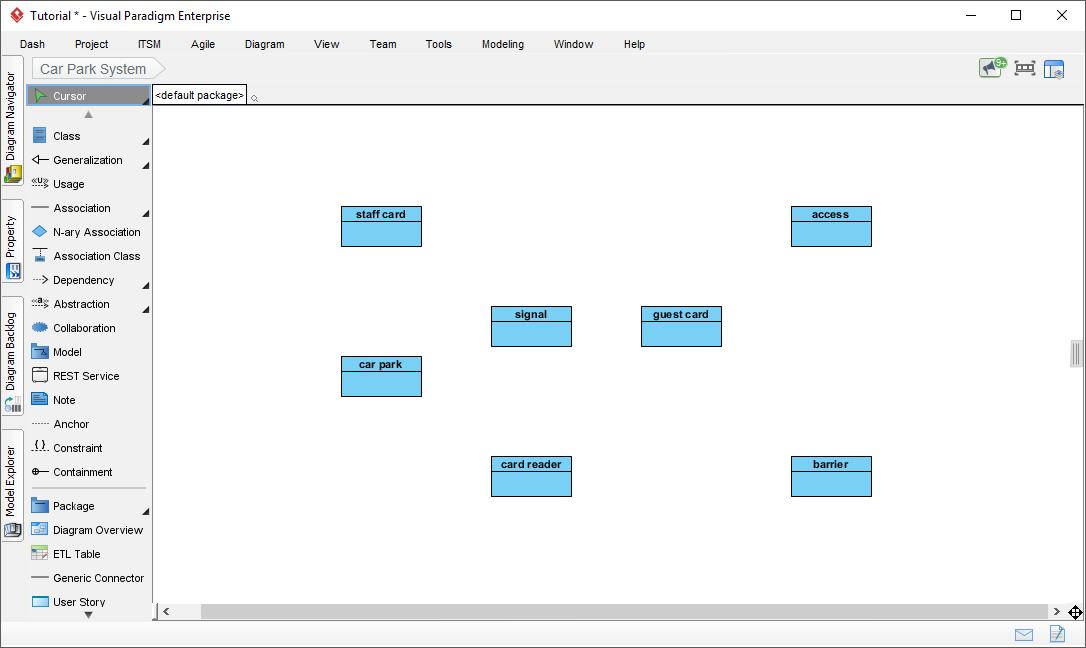
7. 完善结构关系
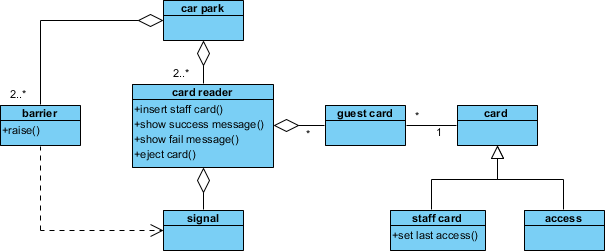
在基础类图上添加关联、泛化等关系。例如,可以引入一个抽象父类 Card,让 Staff Card 和 Guest Card 继承自它,以体现共性。
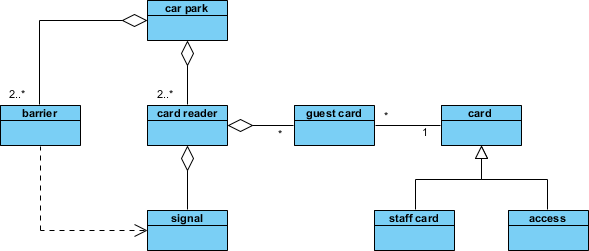
8. 构建交互模型与细化操作
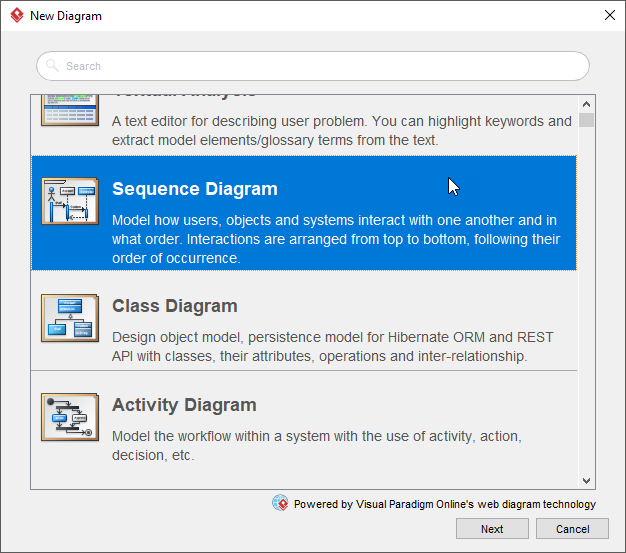
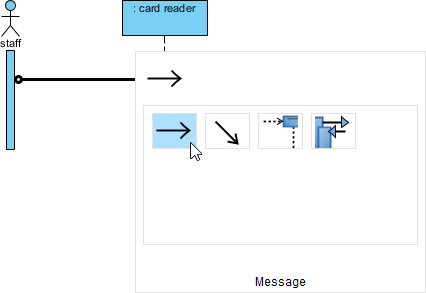
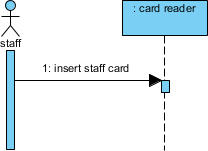
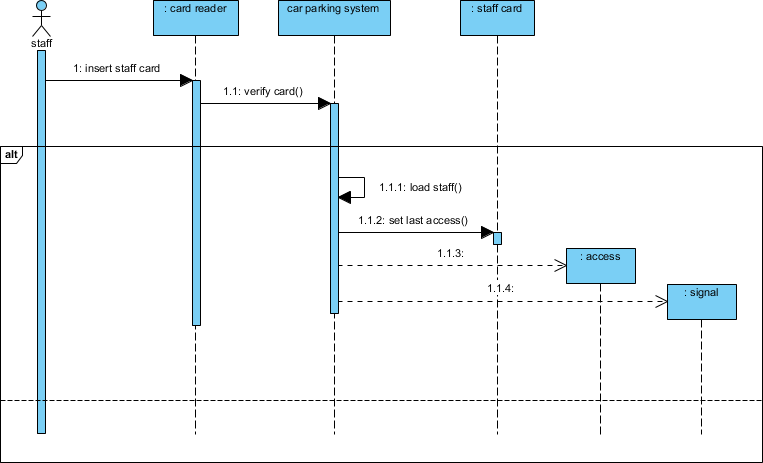
通过绘制序列图来验证类模型,并从中提取具体的属性和操作方法。以“员工刷卡入场”为例:
-
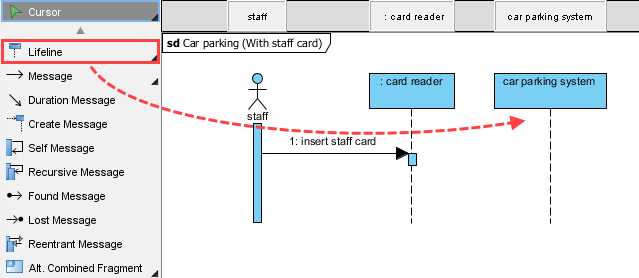
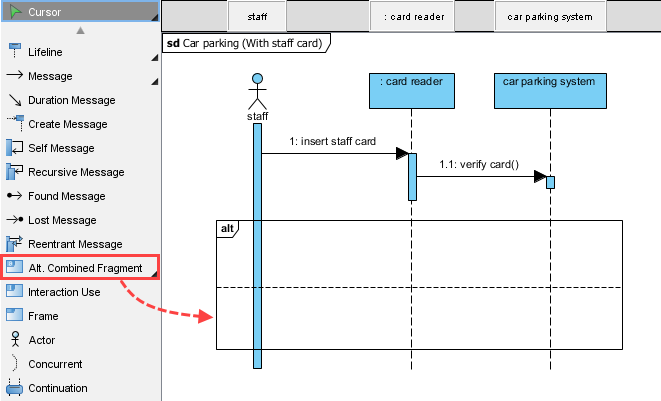
创建序列图: 命名为 Car parking (With staff card)。
-
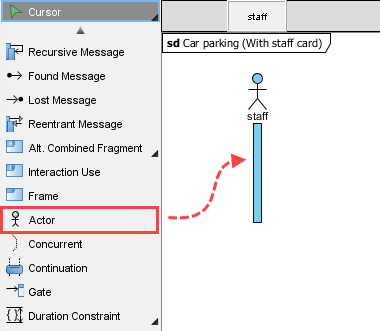
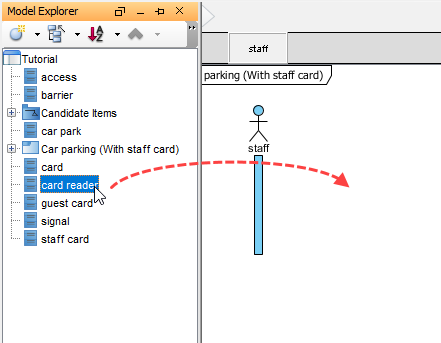
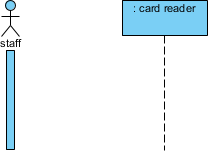
添加参与者与生命线: 创建 Actor
Staff,并从模型资源管理器拖入Card Reader类作为生命线。
-
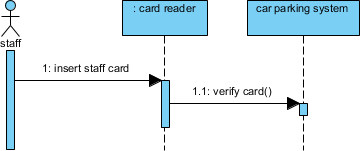
定义消息流:
-
Staff → Card Reader:
insert staff card -
Card Reader → System:
verify card() -
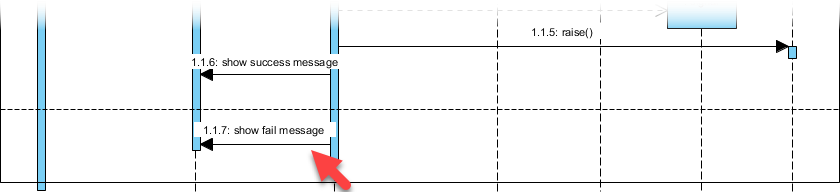
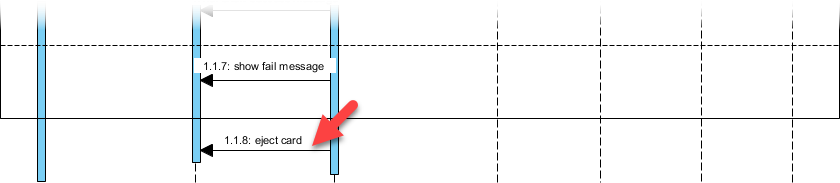
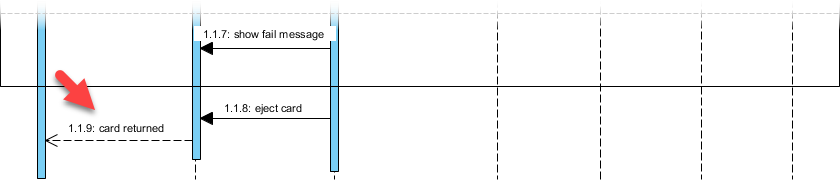
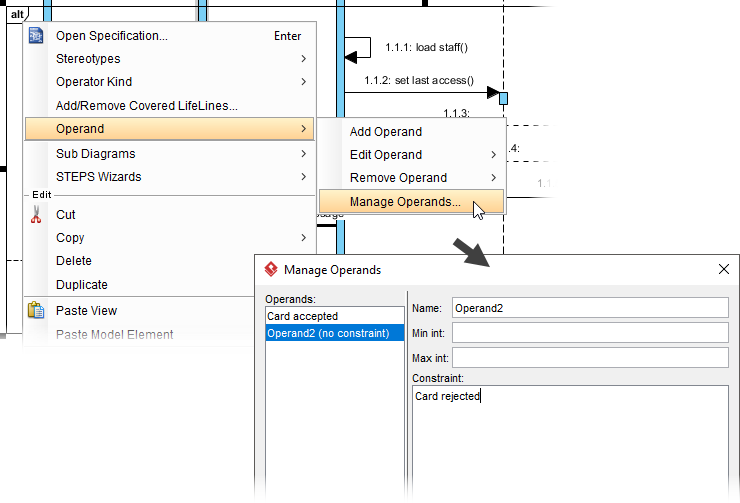
使用 Alt Combined Fragment 处理验证成功/失败两种分支。
-
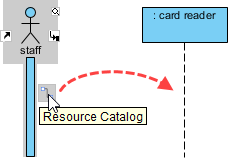
-
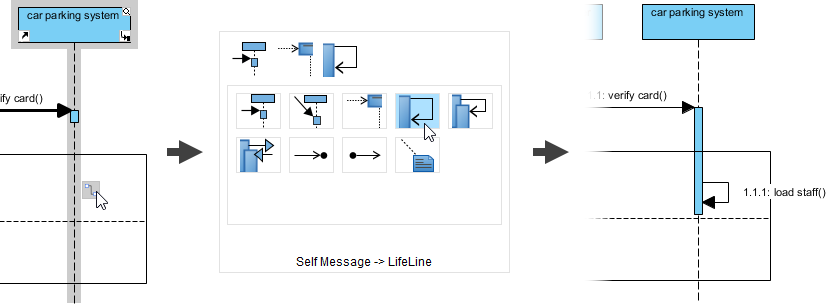
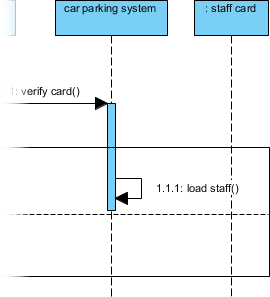
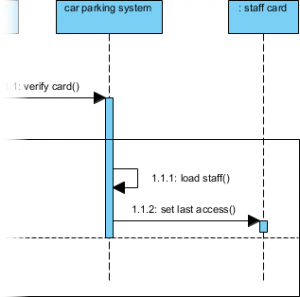
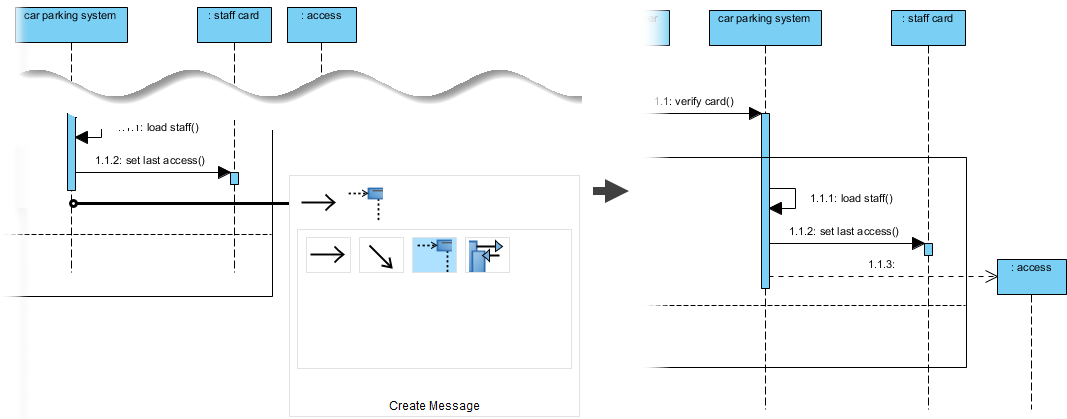
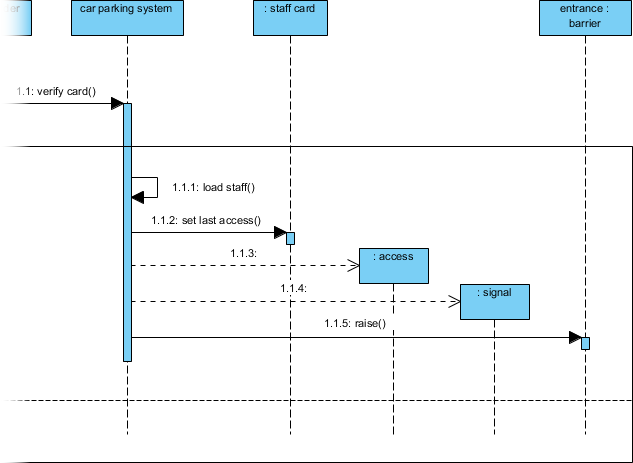
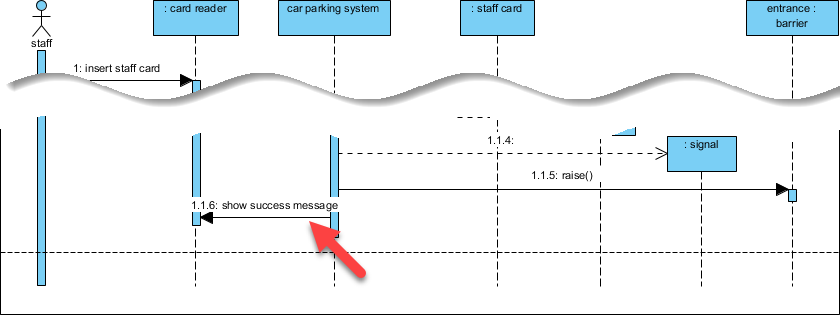
丰富内部逻辑: 在成功分支中添加
load staff(),set last access(), 创建Access记录, 创建Signal以及触发Barrier.raise()。
-
反向工程生成操作: 右键点击序列图中的消息连接线,选择 Type > Call > Create Operation。这会自动在对应的类中添加方法定义。
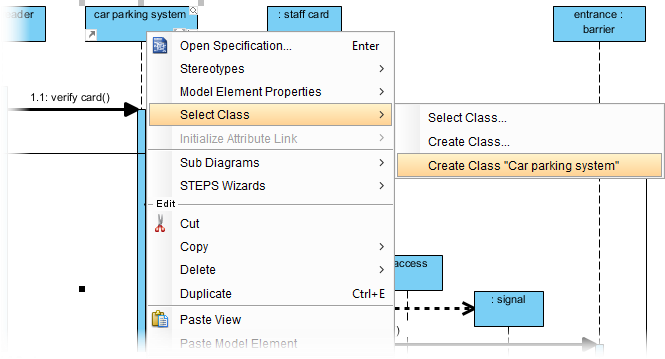
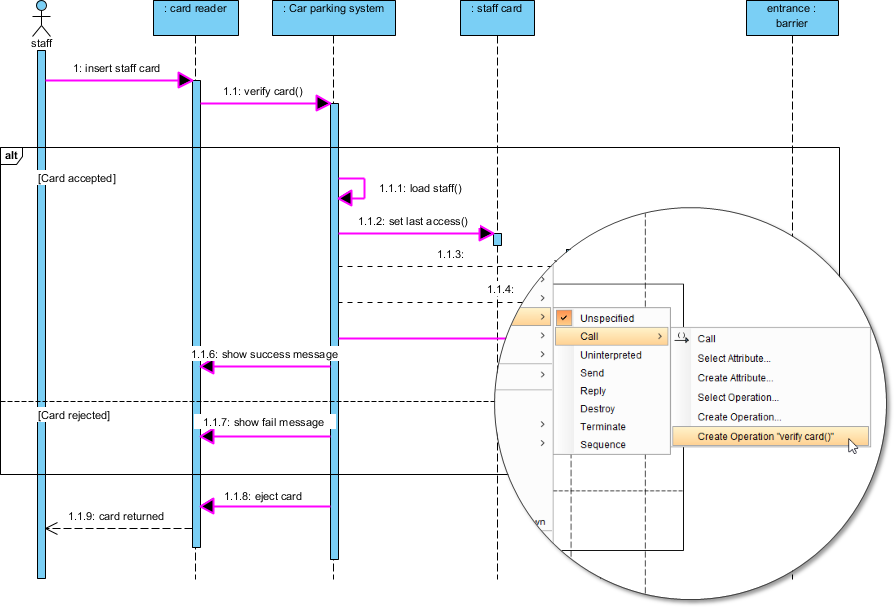
最终,类图将包含完整的属性与方法,实现了从文本到可执行设计模型的闭环。
结论
通过Visual Paradigm的文本分析功能,我们可以将非结构化的业务需求系统性地转化为标准化的UML模型。这种方法不仅减少了人工遗漏,还确保了模型与原始需求的高度追溯性。从识别候选类到通过序列图细化操作,每一步都为构建健壮的软件架构奠定了基础。建议在实际项目中反复练习此流程,以提升需求建模的专业度。
Visual Paradigm 相关参考资源
- UML 类图教程: 介绍类、属性、方法及类之间关系的建模方法。
- Visual Paradigm 免费 UML 建模版本综合分析: 对比桌面版 Community Edition 与在线免费版的功能和适用场景。
- 使用 Visual Paradigm 分步创建类图: 通过示例演示创建、编辑和生成类图文档的完整流程。
- Visual Paradigm UML 工具综合评测: 从用户实践角度评估其建模、协作、集成与生命周期管理能力。